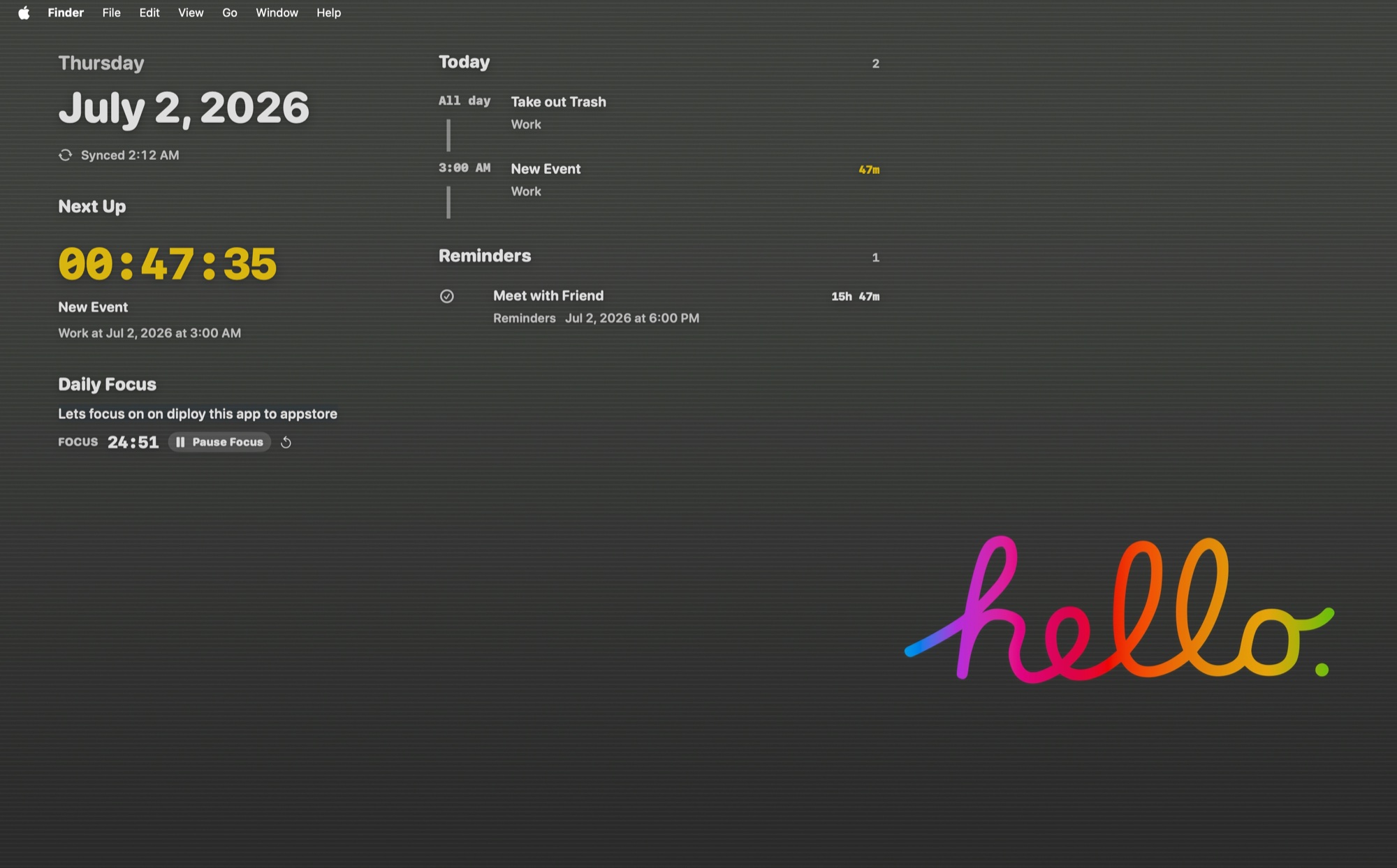
DashWall adds a calm, click-through information layer behind your desktop icons. It keeps Calendar, Reminders, Daily Focus, and Pomodoro visible without replacing Finder or changing your wallpaper.
Free download · Optional one-time lifetime unlock through the Mac App Store · No subscription
Desktop
01 / Desktop utility
Useful at a glance. Invisible when you work.
DashWall remains behind normal app windows and ignores mouse input while locked. Finder, the Dock, desktop files, Spaces, and your existing wallpaper continue to work normally.
01
Your schedule without another window.
See upcoming Apple Calendar events, incomplete Reminders, meeting links, and a live countdown to what matters next.
Design reviewWork
Launch check-inStarts in 24m
Deep workFocus block
02
Focus that stays with you.
Edit your Daily Focus and run a persistent Pomodoro session from the desktop interaction mode.
FOCUS24:51
03
Readable on every wallpaper.
Local wallpaper analysis chooses light or dark typography and can add a restrained frosted backing.
LightDarkAa
02 / Local-first
Your day stays on your Mac.
Calendar
Accessed only after permission through Apple's EventKit framework.
LocalReminders
Selected incomplete reminders are processed on-device.
LocalAnalytics
No advertising SDKs, tracking SDKs, accounts, or cloud upload.
NonePurchase
The optional lifetime unlock is processed through StoreKit and can be restored.
Apple
DashWall for macOS 14 or later
A calmer way to see your day.
Download for free and unlock the complete dashboard with one optional lifetime purchase through Apple.